Opsdeck Admin Kitv1.0.0
Use this Skill to build website page.
Create a complete back-office console with navigation, operational summaries, searchable data tables, filters, and reporting views in a calm slate style. It helps operations teams turn complex revenue, customer, or workflow data into a practical workspace for daily decisions and internal demos.
Picked most often by
Updated Aug 31, 2026
Preview gallery
Runs in
Generates with
Similar Skills
View all skillsWhat you get
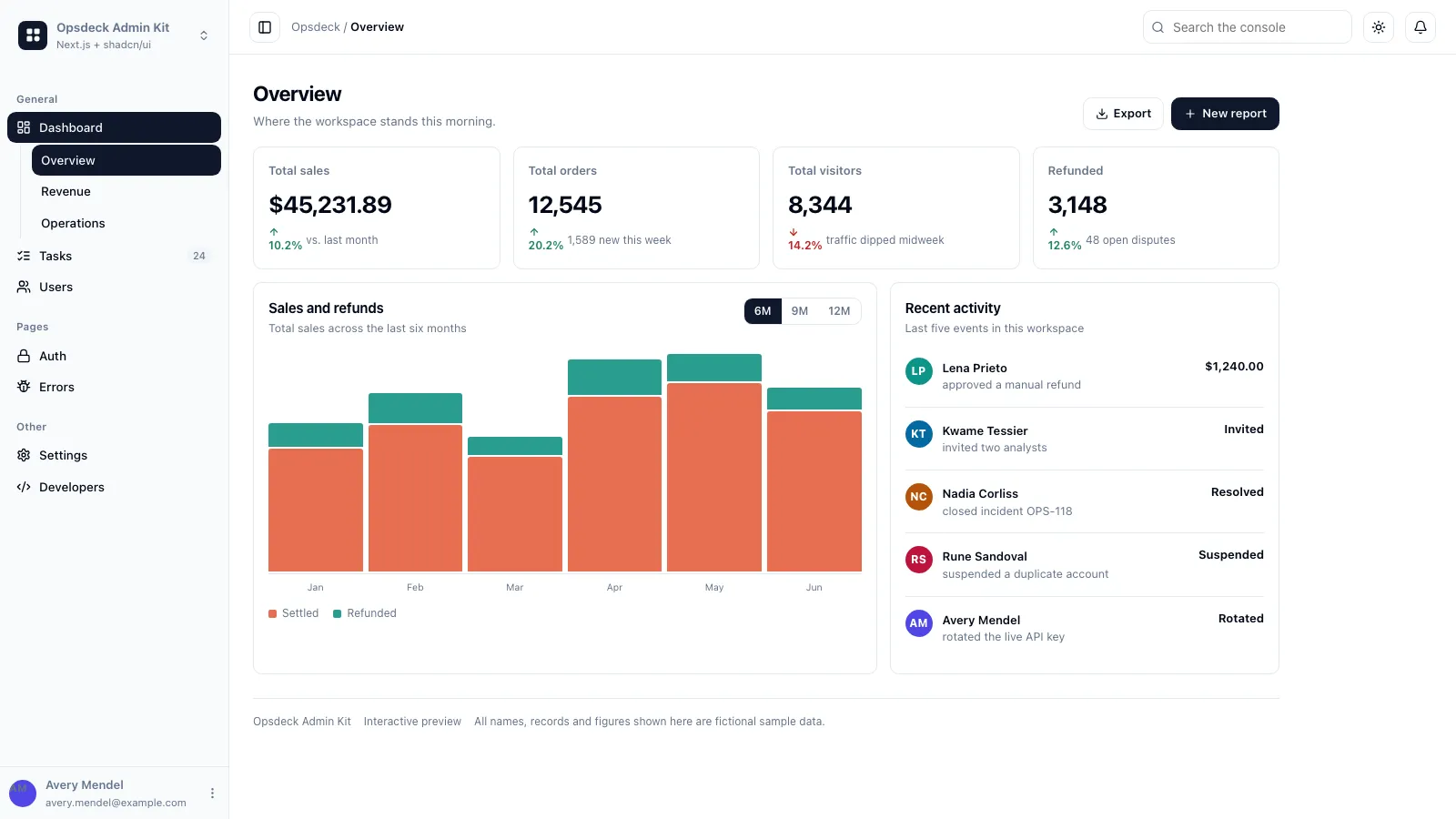
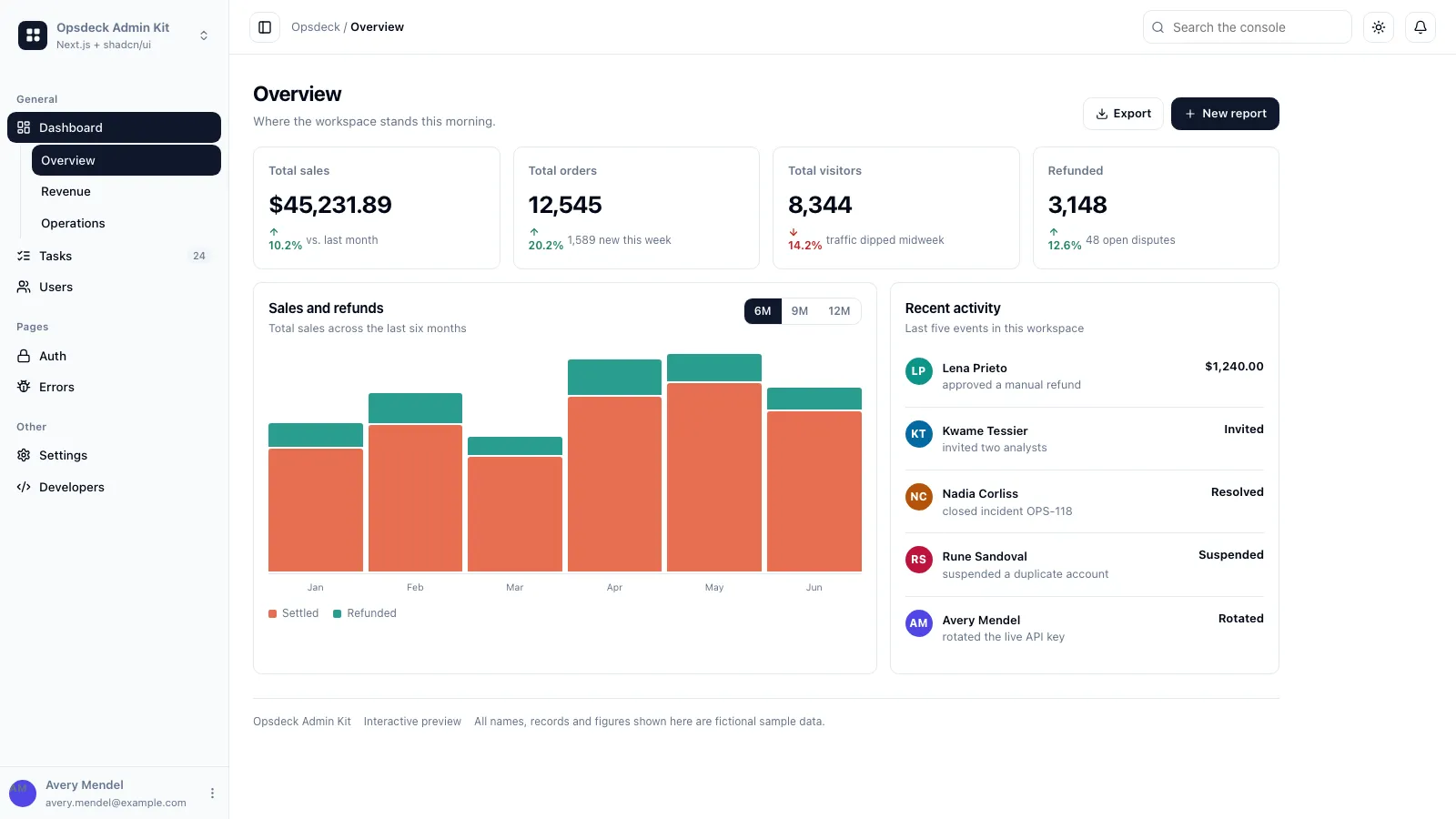
- A complete Next.js 15 admin console: workspace-switching sidebar, command menu, three Dashboards, user and task tables, six settings pages, developer pages, authentication screens, and error routes
- The locked "opsdeck" visual system — neutral slate surfaces, dense stat cards, sticky breadcrumb header, and full light/dark parity on Tailwind CSS v4
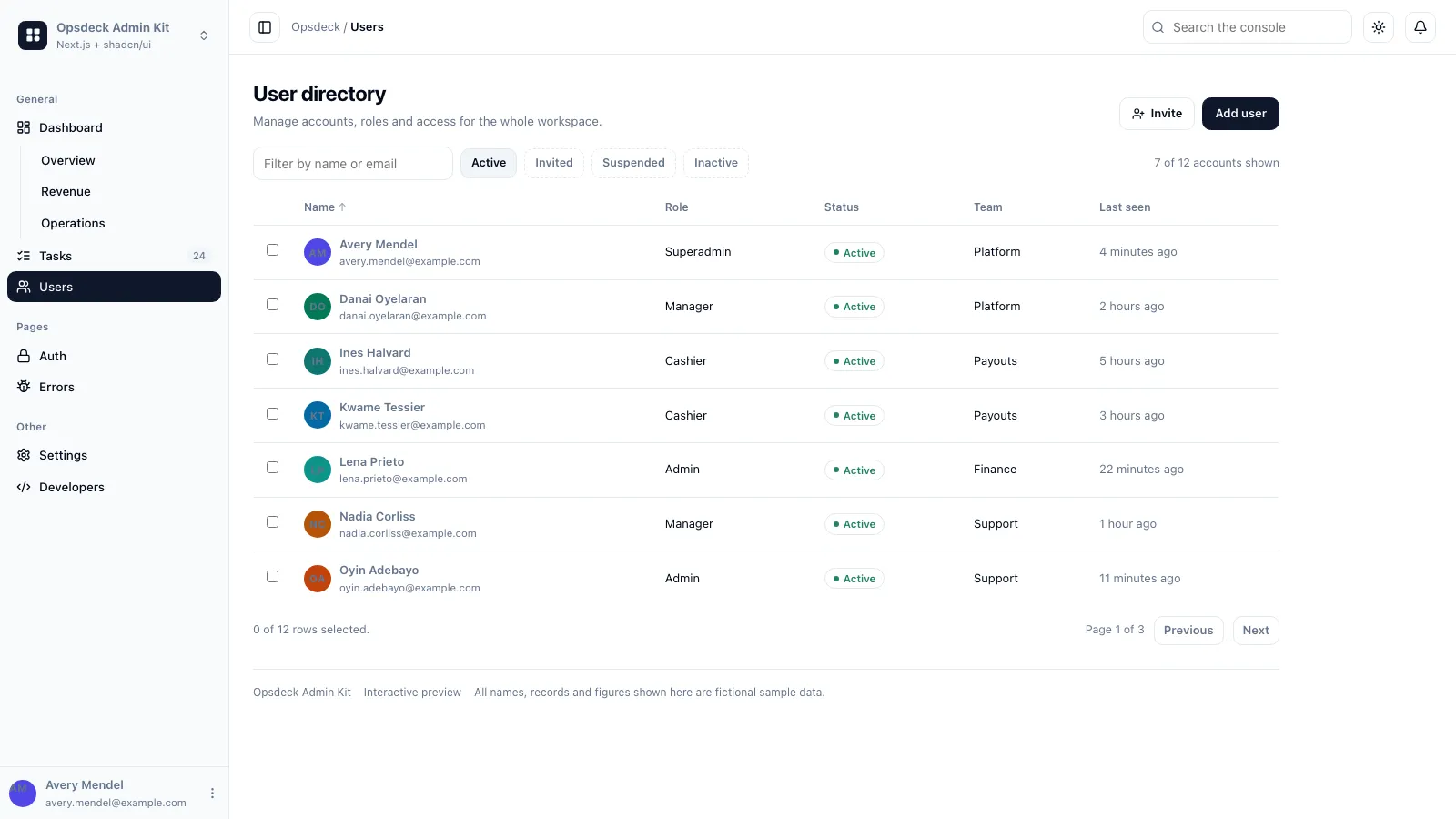
- Working data-table screens built on TanStack Table: search, faceted filters, column visibility, sorting, row selection, row-action menus, bulk dialogs, import drawers, and detail routes
- Fictional seed data behind Zod schemas in per-screen data folders, so one table can move onto your real API without disturbing the rest of the app
- A rebranding workflow for the app shell plus a validator script that blocks emoji icons, broken asset paths, and leftover placeholder branding
Good fit
- You need an internal back-office or ops console — user directory, task queue, billing settings — and do not want to design one from scratch
- You work in React/Tailwind and want a template your agent can rebrand, extend, and keep consistent across dozens of screens
- You want the full admin surface, including auth and error pages, rather than a single dashboard screenshot
Not for
- Projects that must not use Next.js or React — the bundled app is Next.js-first, though the patterns port to other stacks
- Anyone expecting a backend: every screen ships local sample data, with no database, auth provider, or API included
- Teams that need a customer-facing marketing site or a CMS-driven, multi-language product out of the box
About this Skill

Tell the skill what your internal tool has to manage and get back a complete admin console on Next.js 15: a collapsible sidebar with a workspace switcher and command menu, three dashboard boards with real charts, data tables for people and work items that filter, sort and select, a full settings area, developer pages, auth screens, and error routes that already match.
What you get
- A runnable Next.js 15 project: App Router, React 19, Tailwind CSS v4, TypeScript, TanStack Table, and Recharts
- The locked "opsdeck" look — neutral slate surfaces, dense stat cards, a sticky breadcrumb header, and a persistent sidebar shell
- Working table screens with search, faceted filters, column visibility, row actions, bulk dialogs, and detail routes
- Fictional seed records behind Zod schemas, kept in per-screen data folders so each table can move onto your API on its own
- Full light/dark parity plus a validator that blocks emoji icons, broken asset paths, and leftover placeholder branding

How to use it
- Unzip
references/template.zip, then give the skill your workspace name and the screens you need; it copies the extracted template and rebrands the shell — nav tree, marks, metadata, and the signed-in user. - Review it locally with
npm run devand ask for changes in plain words — "make the users table a courier directory", "add a disputes board". - Point each table at your own API when you are ready, or ask for the same patterns ported into an existing React, Vue, Svelte, or Astro app.
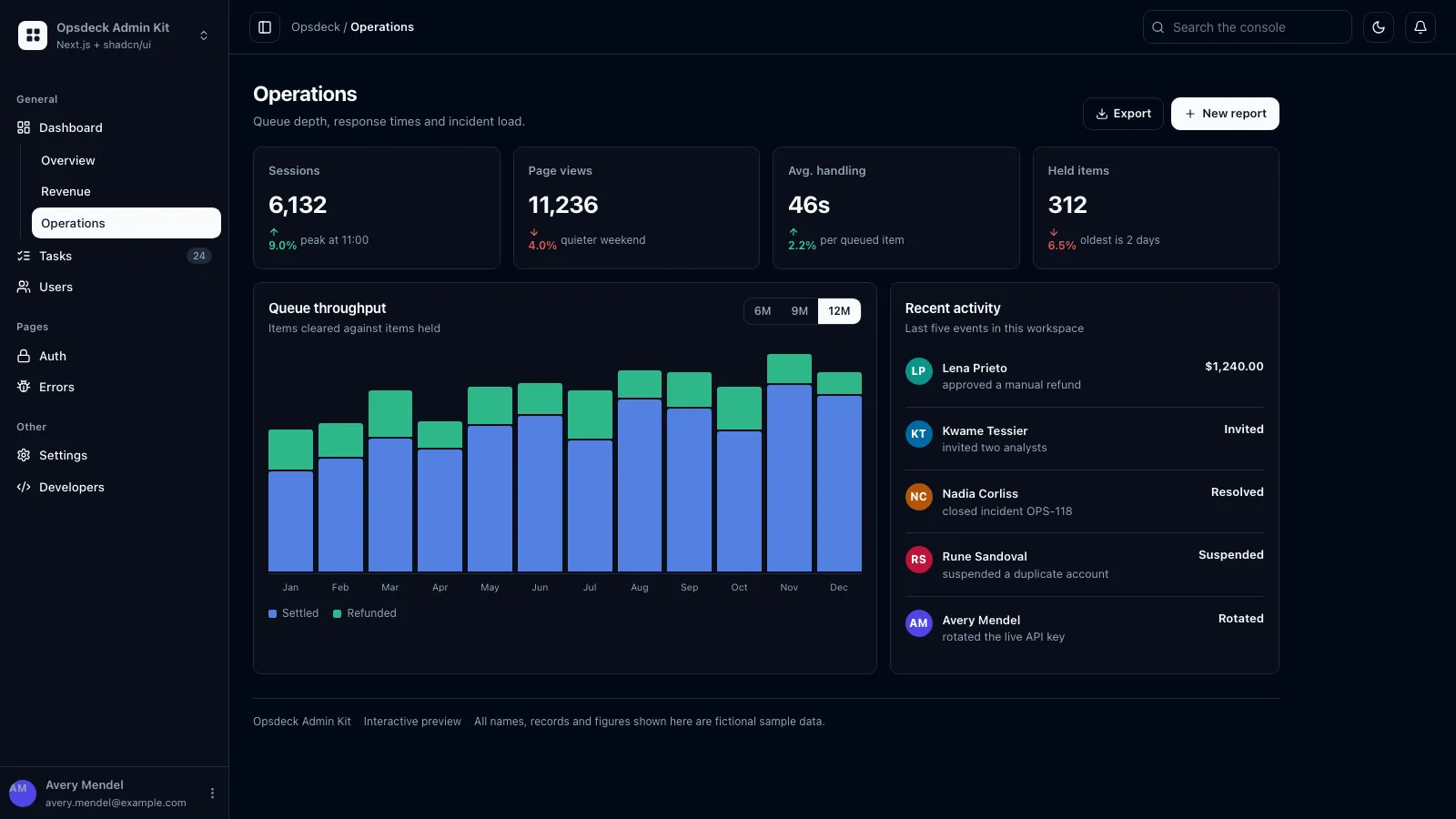
Every name, email, company, and figure in the template is fictional sample data, so you can demo the console anywhere while your real records stay where they belong.
What you need before you start
- You bring
- Product or workspace name, needed screens and table records; optional logo, brand color, and role list
- Dependencies
- Node.js 18+ and npm — required to run the Next.js template
- Last tested
- v1.0.0 — Claude Code / Claude Desktop / Cowork / Codex / ChatGPT
User reviews
Loading reviews…